Common Issues
Not Visible through Water, Grabpass etc
This is a bit of a tricky one because of render queues and transparency. This is likely happening because taking a grabpass is like taking a screenshot of the screen so far. The grabpass is taken at the render queue of the material that needs the grabpass.
So if the water is rendering at render queue 3000, it will take a grabpass of what's been drawn so far. This will not include stuff past render queue 3000.
The ground shadow shader has a default render queue above 3000 as it's a transparent material that doesn't draw depth, so it doesn't show up on the grabpass!
To work around this, you'd have to move the render queue of the ground shadow material below the render queue of the grabpass. Now this may cause issues because the transparent shadow is now being rendered at a render queue that doesn't expect transparent materials. Sometimes you can get away with this so give it a shot. Usually you want a render queue below 3000, say 2900.
If your ground shadow material doesn't have transparency (for example it has halftone transparency turned on) you can try to use the cutout rendering mode. Even better, you can apply the Solid Cutout Rendering partial preset in ValueFactory/Rendering which will utilize cutout, enable z-write and drop the render queue down below 3000 which may help solve issues you're having.
Clipping through floor
This usually happens because the ground shadow prefab is too low and thus ends up below the ground/floor or clips with it.
To fix this, simply just move the prefab up a bit.
AudioLink not visible in play mode
Make sure you have AudioLink properly set up with an audio source. More information on setting up AudioLink can be found here
Changes in play mode don't stick around
This usually happens because of VRCFury creating a copy of your avatar when entering play mode. To fix this, consult this guide here.
Avatar scrunkles up when in play mode
Likely because the avatar has a controller in it's animation component.
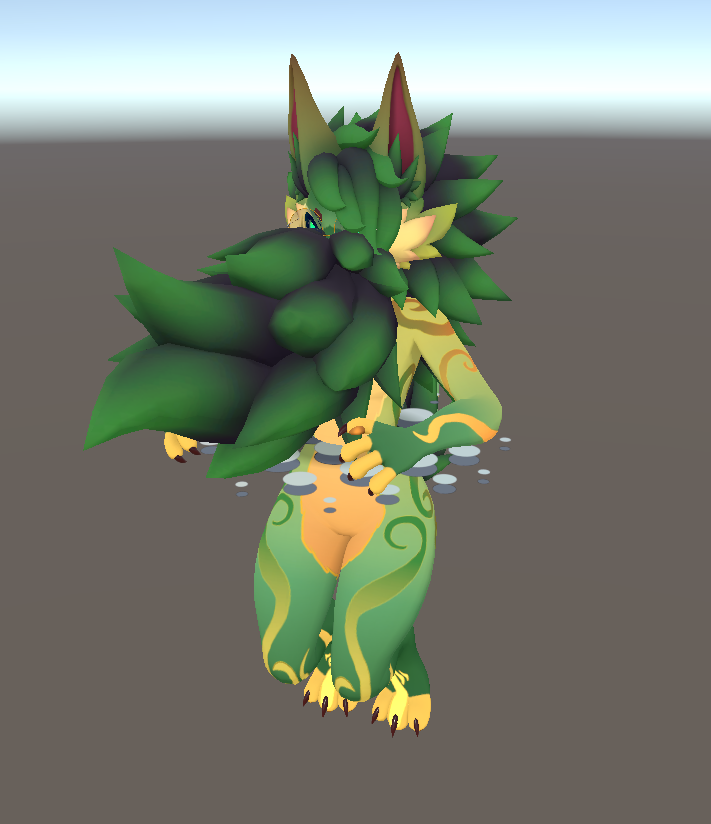
You can remove the animation controller from the animation component on the avatar root object before you go into play mode to avoid this.
Raycast Not doing anything
This might be due to there not being a surface with a collider underneath your avatar. Make sure there's a plane or some other object underneath your avatar that has a collider on it.